
Keep your usual order
Drag tasks into the order you want to do them. You can move them between sections, too. Tempo keeps that order for future days.
A task planner for iPhone
Most of your routine doesn’t change from one day to the next. Plan it in Tempo, put the tasks in order, and start a session when you’re ready to work through them.

Start without an account. Sign in when you want to sync.

Try checking one off.
Your morning routine might be daily, laundry weekly, and a filter change every three months. Give each task its schedule and a place in the list. The All Tasks list keeps even the once-a-year ones easy to find.
Drag tasks into the order you want to do them. You can move them between sections, too. Tempo keeps that order for future days.
Add a section for your workout, or rename Morning to whatever you call it. Give a color a name like “Morning Routine,” and you’ll see that name whenever you choose a task color.
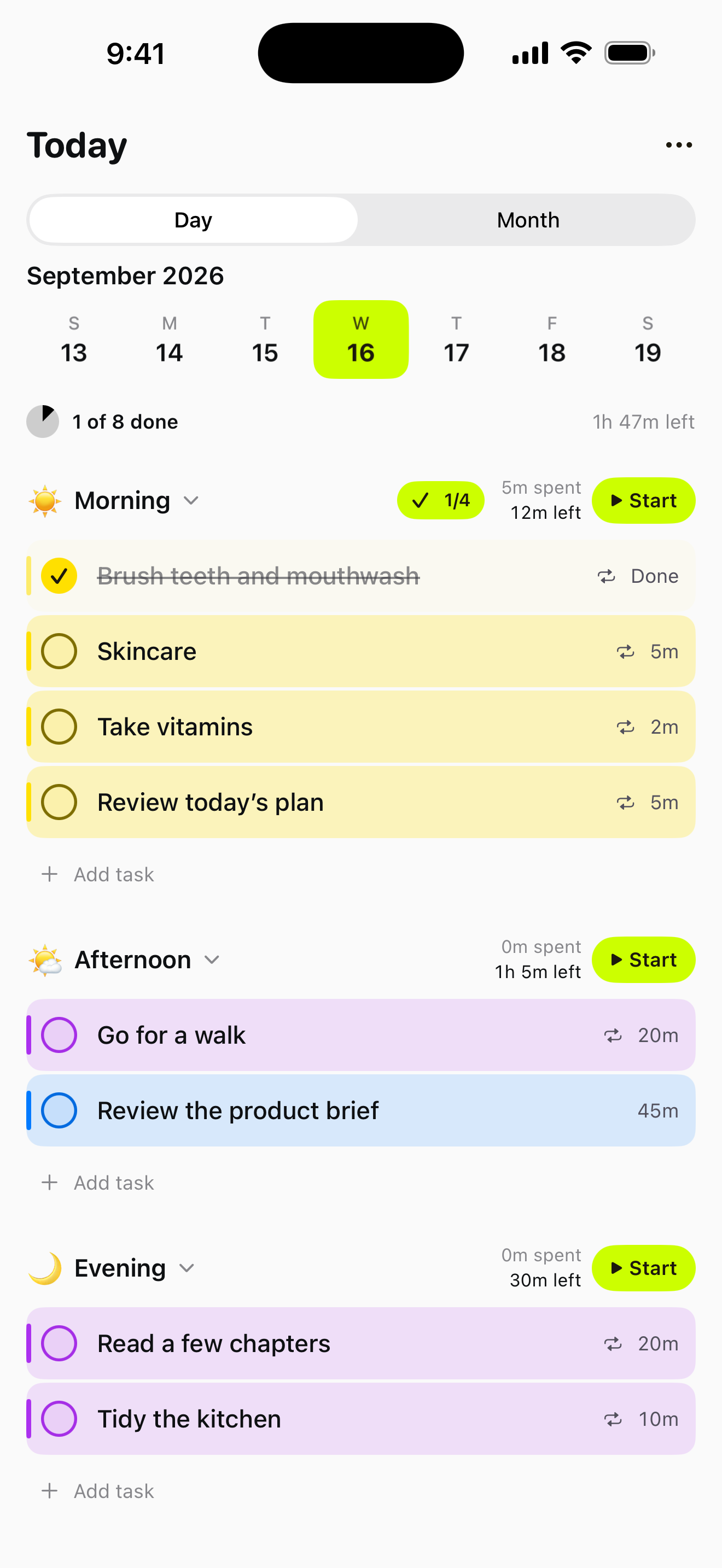
Finished tasks stay crossed out in their sections. See time spent and time left beside Start, or tap a task for its full history.
Go for a walk
Break in 22:48
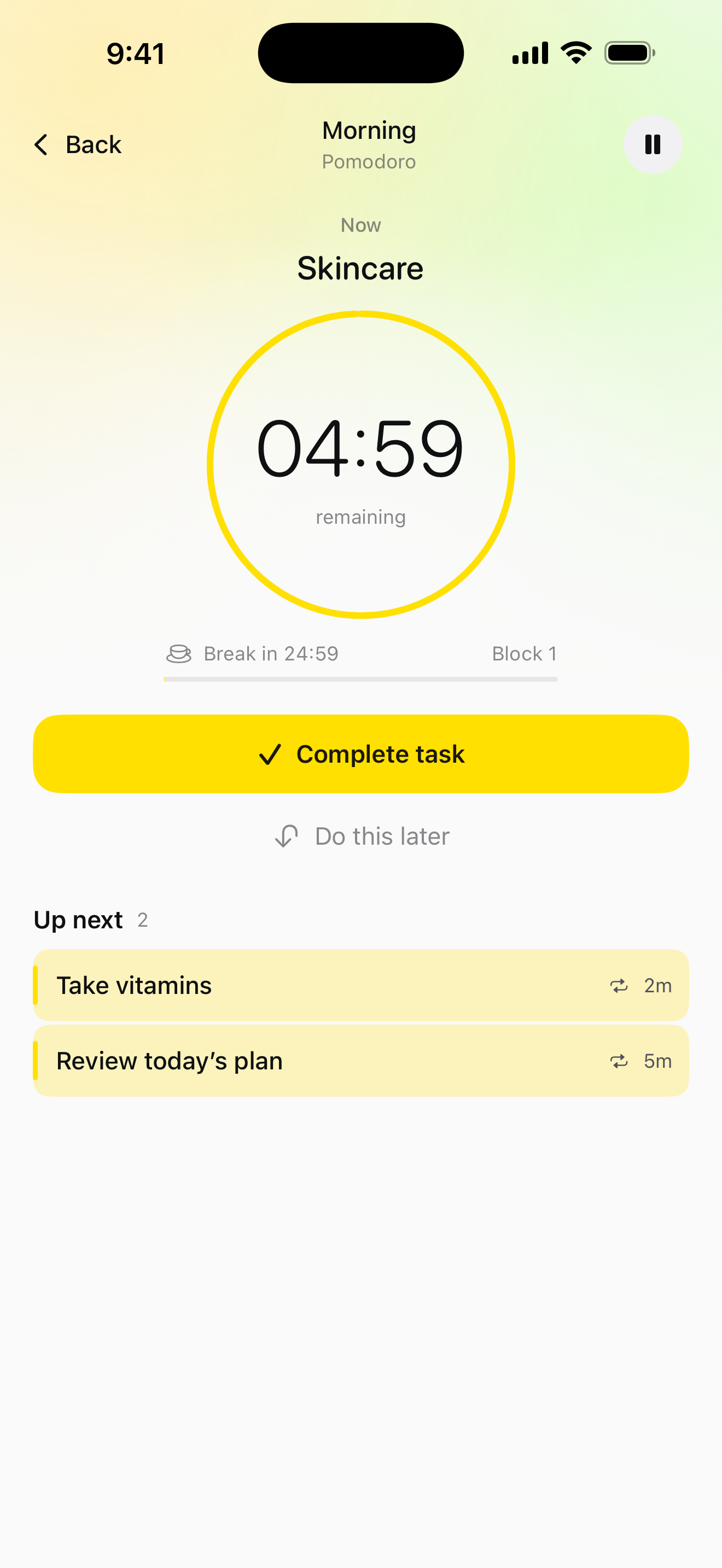
Start with a whole section or choose a single task. The rest of your session stays below the timer, so you can switch tasks or drag them into a different order.
The big timer is always for your task. Pomodoro keeps a separate clock for breaks. Reordering here changes this session only.
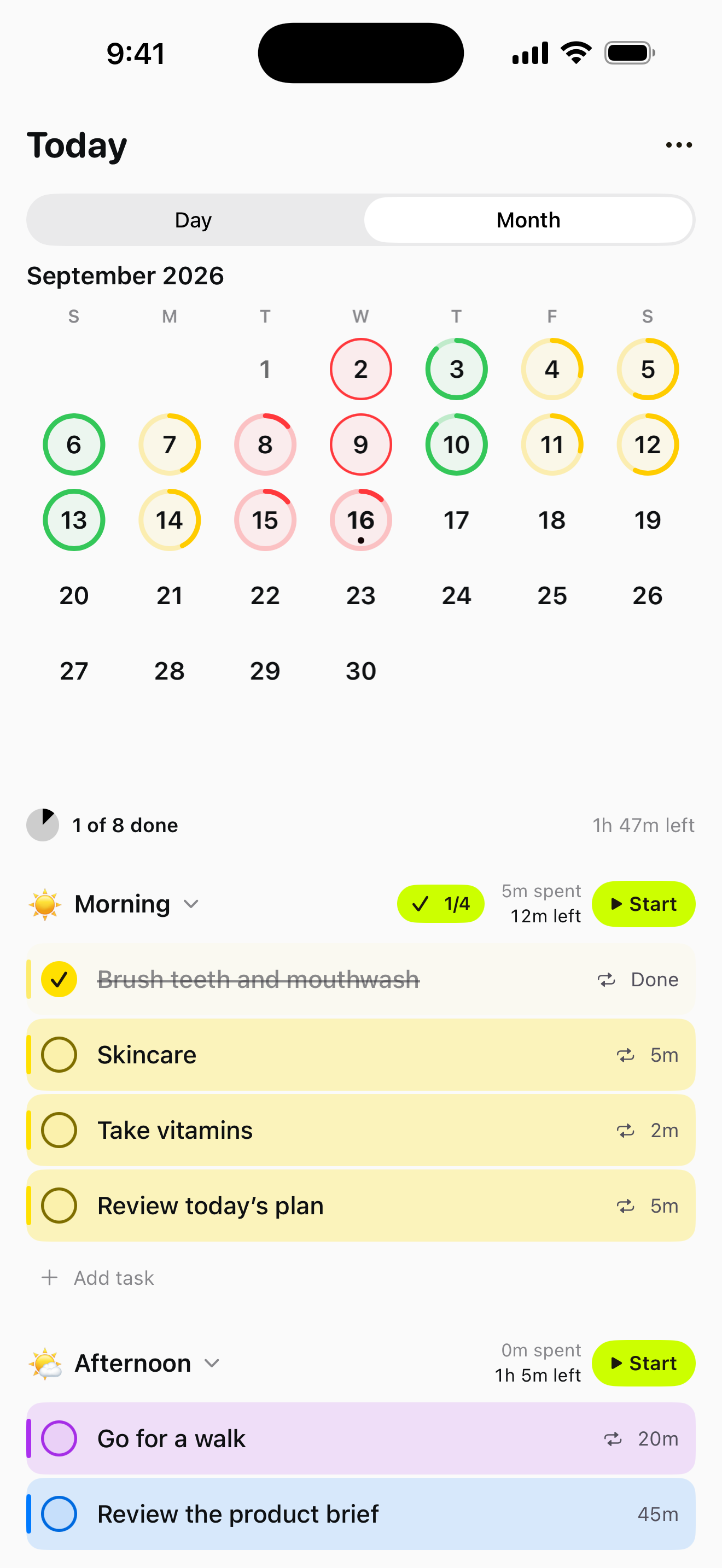
Scroll through your days, work through a section, or check how the month is going.
Free. No subscriptions. Just your routine.
Questions or feedback? Contact Tempo.